Investigative Intelligence and Knowledge Graph Platform
Nexus turns Scout events, leads and documents into an entity resolved knowledge graph your team keeps building. ChatGraph™, the AI graph builder in Nexus, researches each subject your team points it at. It keeps established facts apart from claims and puts a source on every link.
Download the Nexus Datasheet (PDF)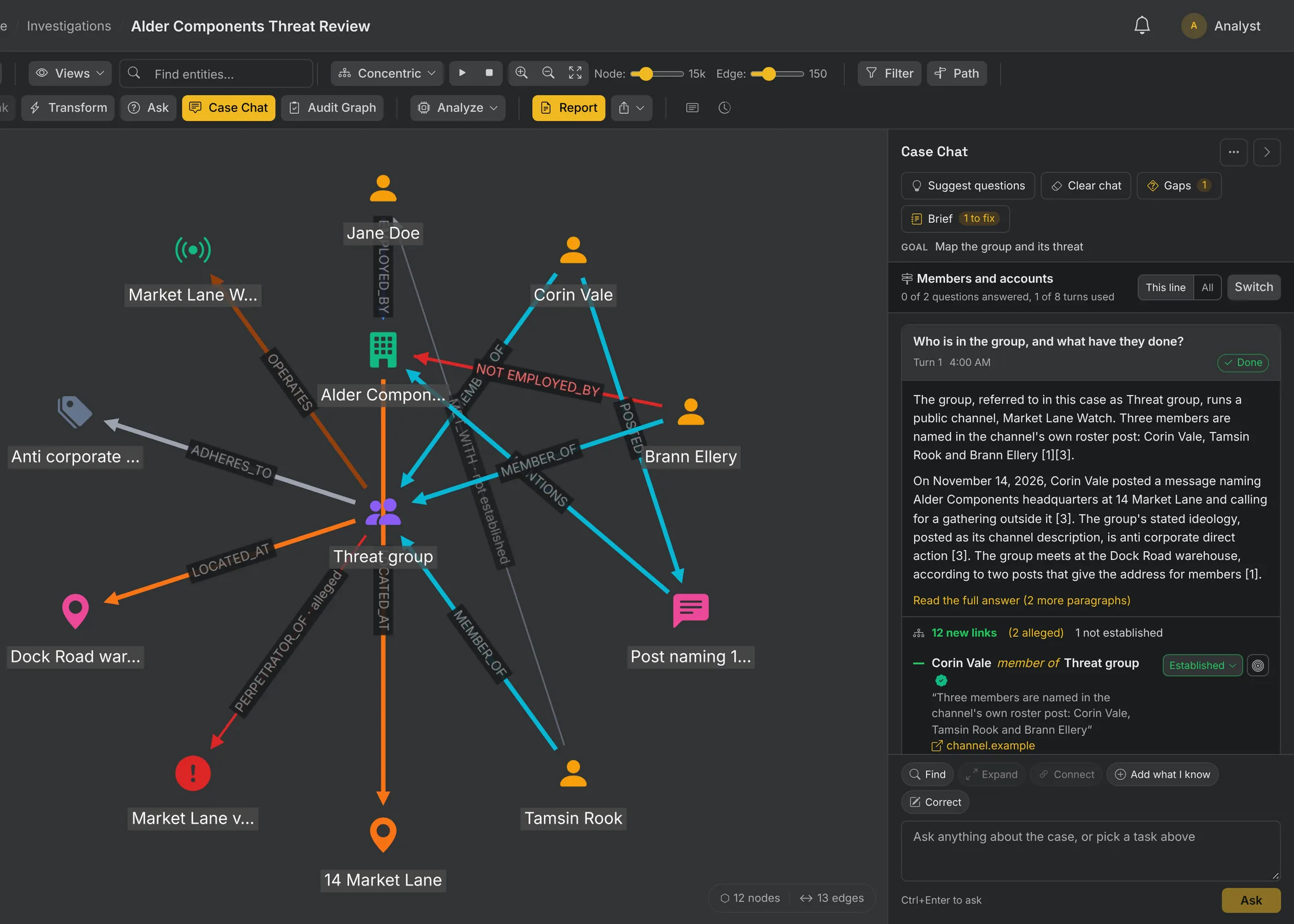
Map Who and What Is Involved With ChatGraph
ChatGraph researches the people, groups and accounts behind an incident and builds the graph in the same step.
- State the goal. Smart Prompt turns it into a research brief of subjects and link types, and you approve it before anything runs.
- Each research turn writes its entities and links straight into the case, with the sources the research actually used.
- A rules engine checks every type and link against the Nexus ontology. A line that does not fit is set aside with a reason.
- Ask Case Chat beside the graph. Select nodes to set the focus and get back links with quotes and open gaps.
Keep What Is Established Apart From Claims
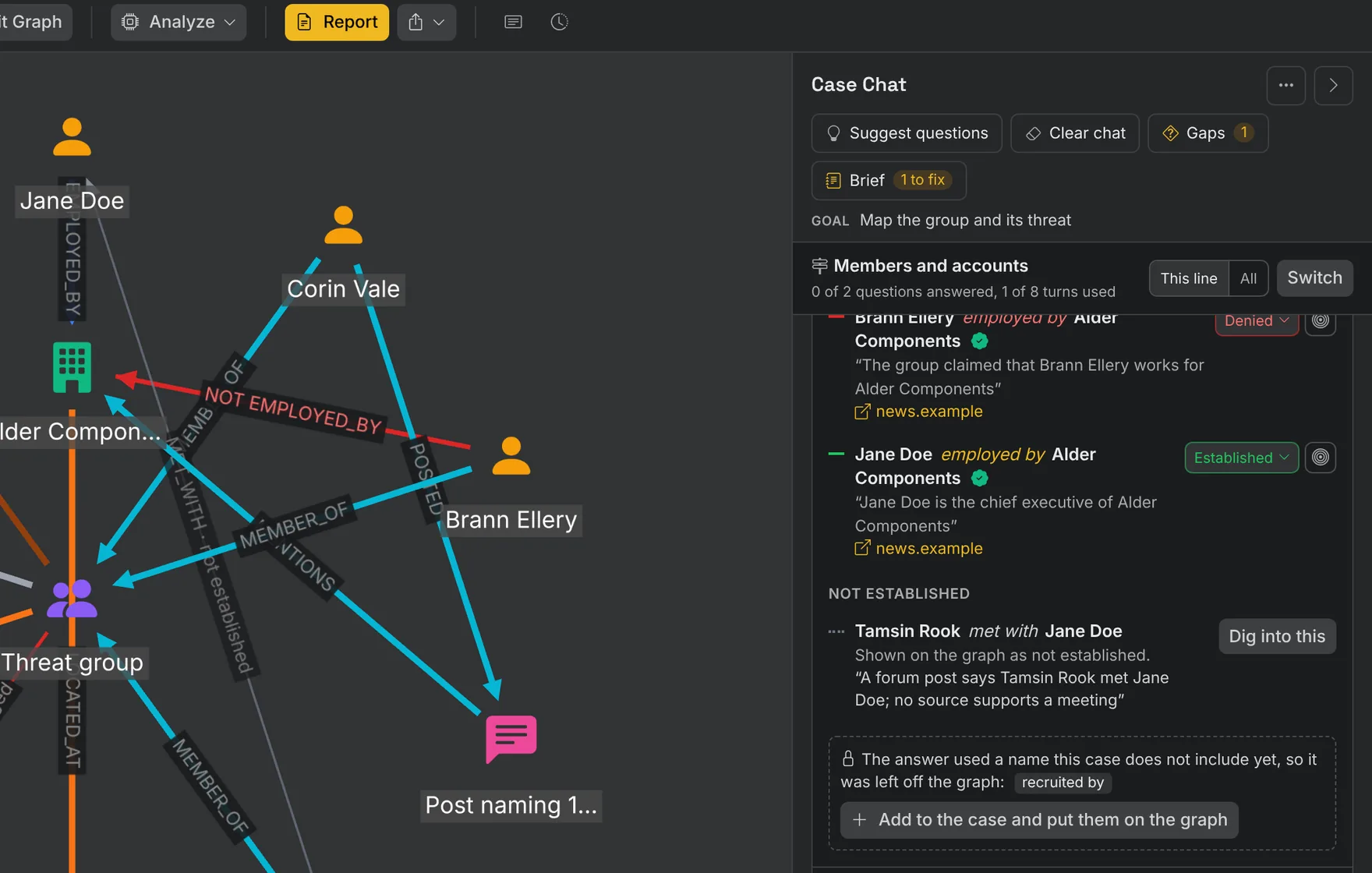
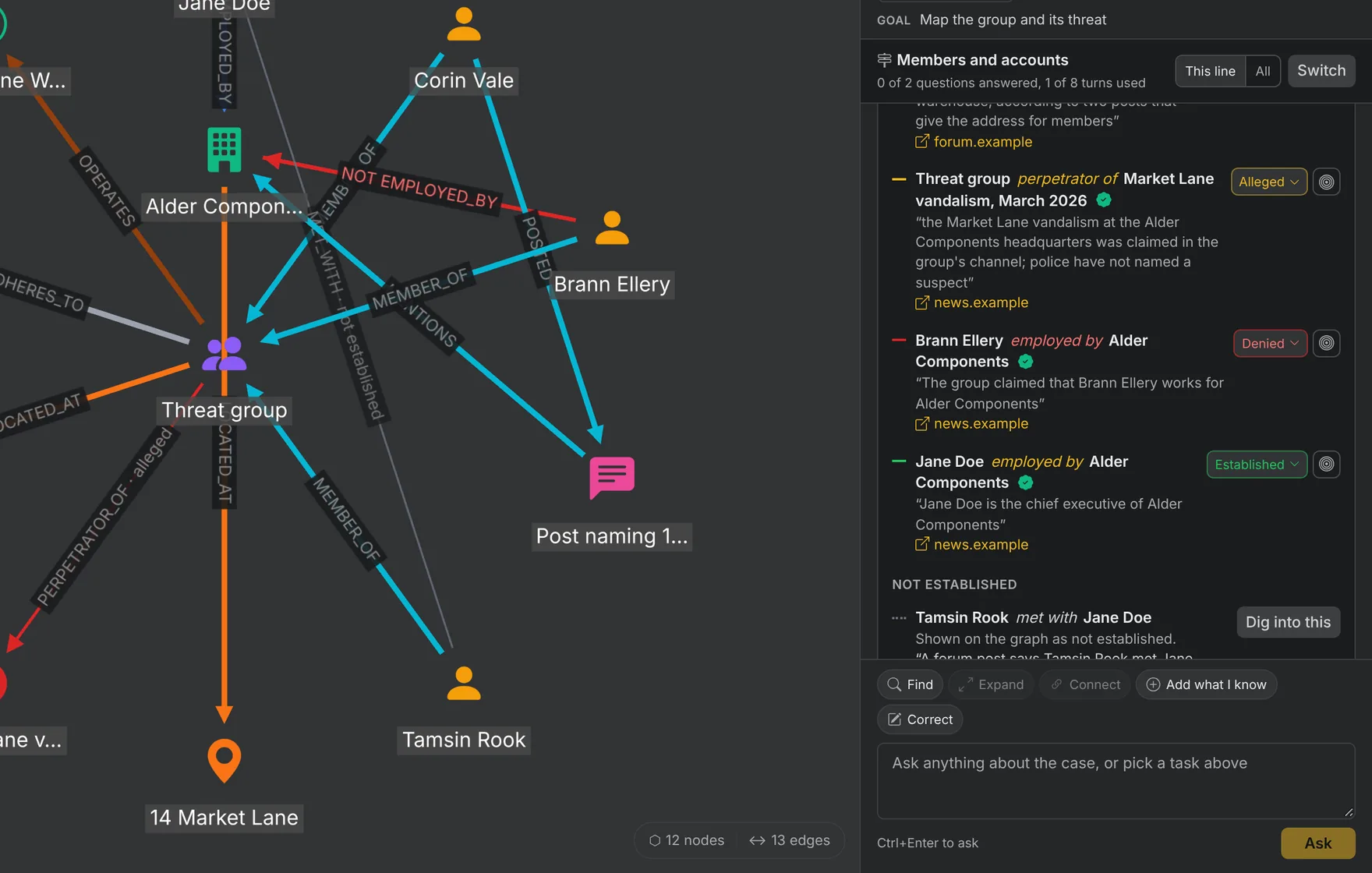
Nexus records whether each link is established or claimed, with the source behind it.
- Mark every link established, alleged, not established or denied, from the wording of its evidence. Hedged wording stays alleged.
- Record what others say about someone as their claim, attributed to the speaker.
- Keep an account, email, phone or domain as one node however it is written. Names that only look alike wait for an analyst.
- Track every link that is not established as an open gap, and turn it into the next line of research in one click.
Investigate the Group or the Incident Behind a Threat
Two investigations security teams run often. Each one keeps what is established apart from what is claimed.
Investigate a Group Threatening You
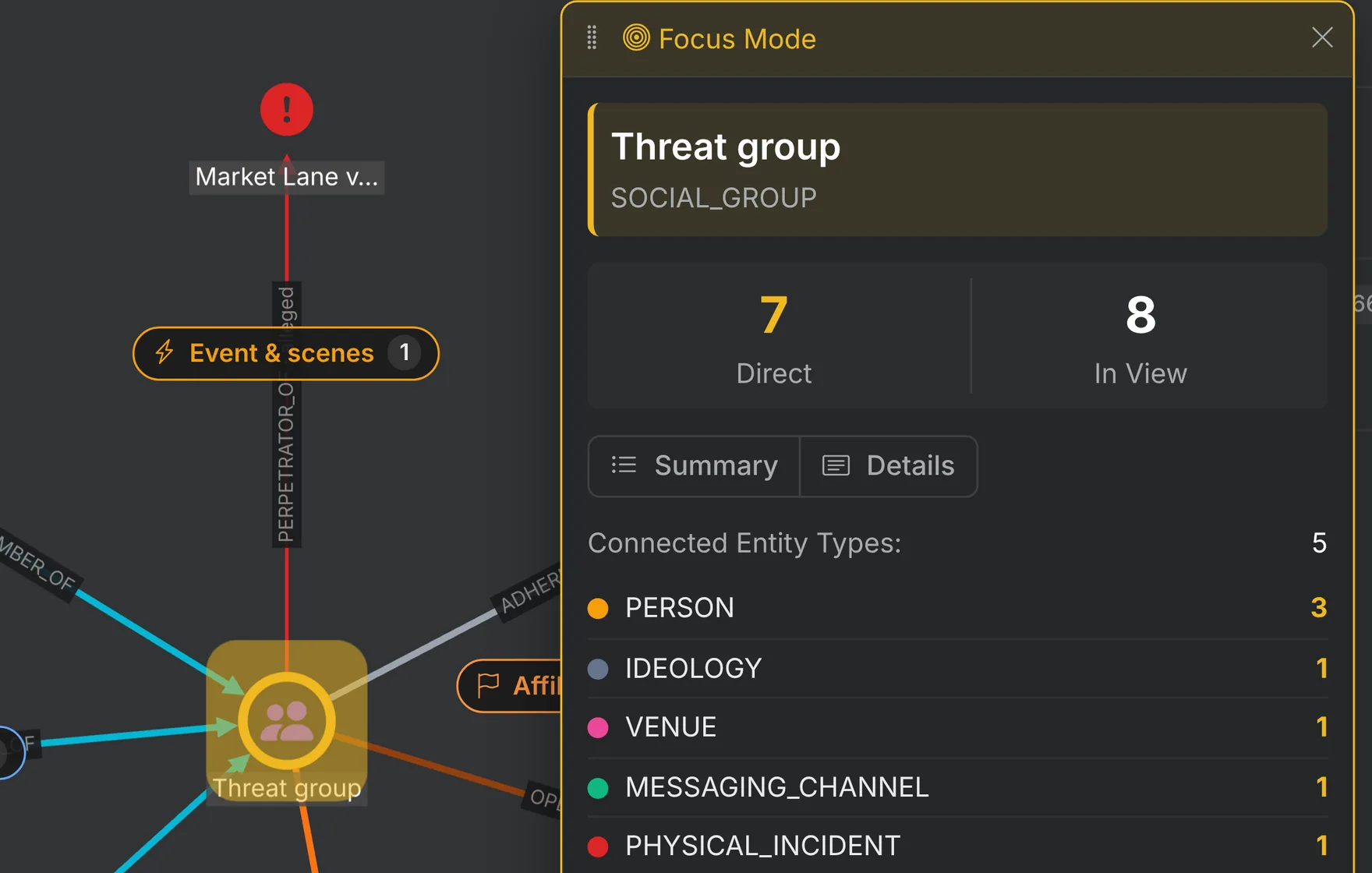
A threat names your people or your sites. Leadership needs the depth of the group behind it, and what is true.
- Map the group: its members, accounts, channels and the places they name.
- Record its messages and stated ideology as the group’s own words, kept apart from what is established.
- Link it to earlier incidents, with each link marked by its evidence.
- Put member accounts on a Scout monitor for new threats and planned actions.
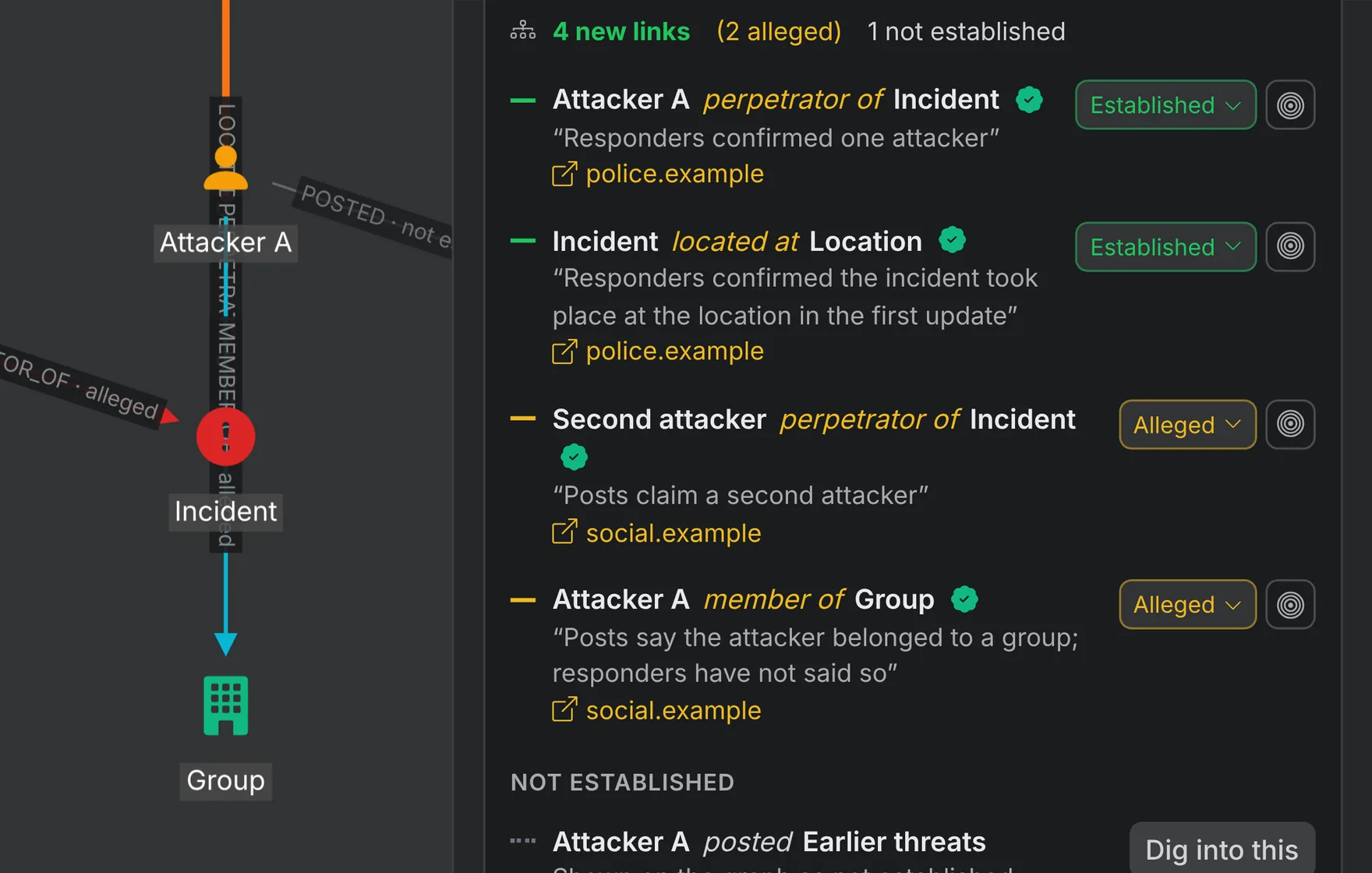
Build the Picture of an Active Shooter Incident
In the first hours, reports conflict and rumor travels fastest. The case keeps what responders confirmed apart from what is repeated.
- Collect what is reported about the incident, the location and the timeline as it develops.
- Research the attacker’s accounts, writings, stated ideology, claimed affiliations and described tactics, each with its source.
- Keep responder statements established and online repetition alleged until a source confirms it.
- Hand leadership a cited brief, and watch for related accounts and copycat threats.
Start the Case From Its Operational Focus
Pick the kind of work in front of you. Each focus starts the case from templates built for it.
Proactive Intelligence
Advance identification and exposure reduction
Find and reduce risk before it is exploited: principals, travel, events, transactions, personnel and third parties.
Responsive Intelligence
Active incident and threat response
Support incidents as they happen: fixation and stalking, coordinated harassment, hostile groups, breaches, fraud, crises and missing persons.
Defensive Intelligence
Continuous exposure management
Keep watch on persistent risk: attack surface, impersonation, threat actors, facilities and insider risk.
Verification and Attribution
Claims, media and narratives
Determine what is accurate, misleading or false: narratives, disinformation, influence activity, elections and media authenticity.
Core Investigations
Structured casework and complex analysis
Run deep investigations across many sources: asset and financial tracing, litigation support, network analysis and claims.
Mapping and Discovery
Subject, market and network mapping
Map an organization, a market or a person, and choose which entities and links to surface.
See ChatGraph Work One of Your Cases
Bring a group, an incident or a name. We will build the case live.
Every Risk Category Has a Deep Dive Behind It
Scout classifies the event against the risk taxonomy. The risk category and scenario tell Nexus which people, places and things to establish first.
See the full risk taxonomy- Physical Security, threat to kill. Who posted it, what else they run, and whether the named place is real.
- Operational Disruptions, production halt. Which plant, who depends on it, and what the operator has confirmed.
- Public Safety, fire. What responders have confirmed, which facilities are nearby, and which reports are only repeated.
- Cyber Security, data breach. Which actor makes the claim, what the sample shows, and whether the victim confirms it.
- Reputation Management, coordinated criticism. Which accounts started it, how they connect, and which claims have a source behind them.
Link Analysis on Your Knowledge Graph
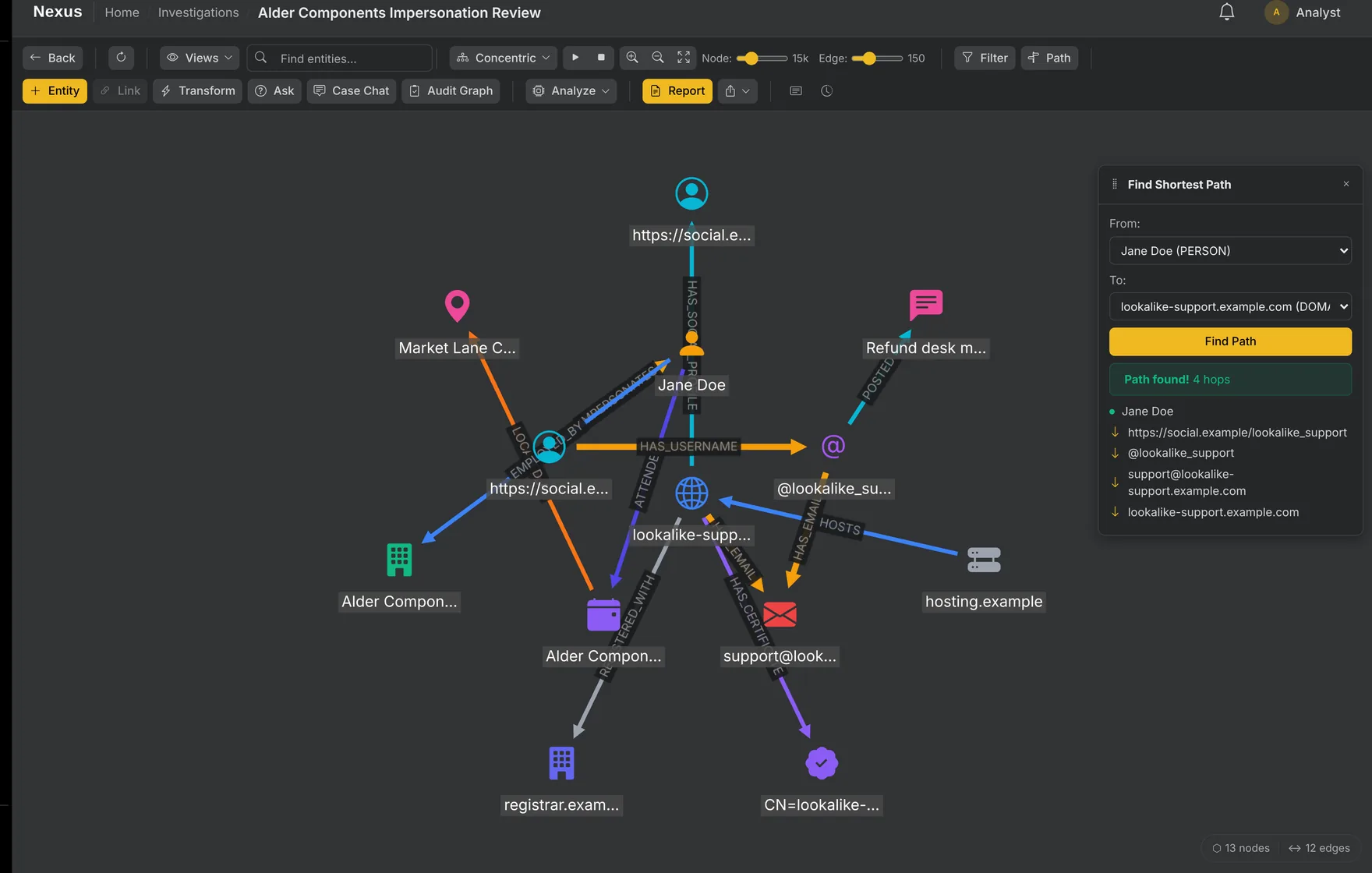
Nexus types every entity and every link. A wallet stays a wallet, and an account belongs to a person.
- Keep every entity, link and source in your workspace, searchable and grouped into collections for the next case.
- Lay the graph out around one subject, or find the shortest path between two subjects in Focus Mode.
- Read confidence from line weight. Every entity and link keeps its provenance, notes and attachments.
- Filter by type, status or source, then export to GraphML, JSON or CSV.
Turn Records and Documents Into Clean Entities
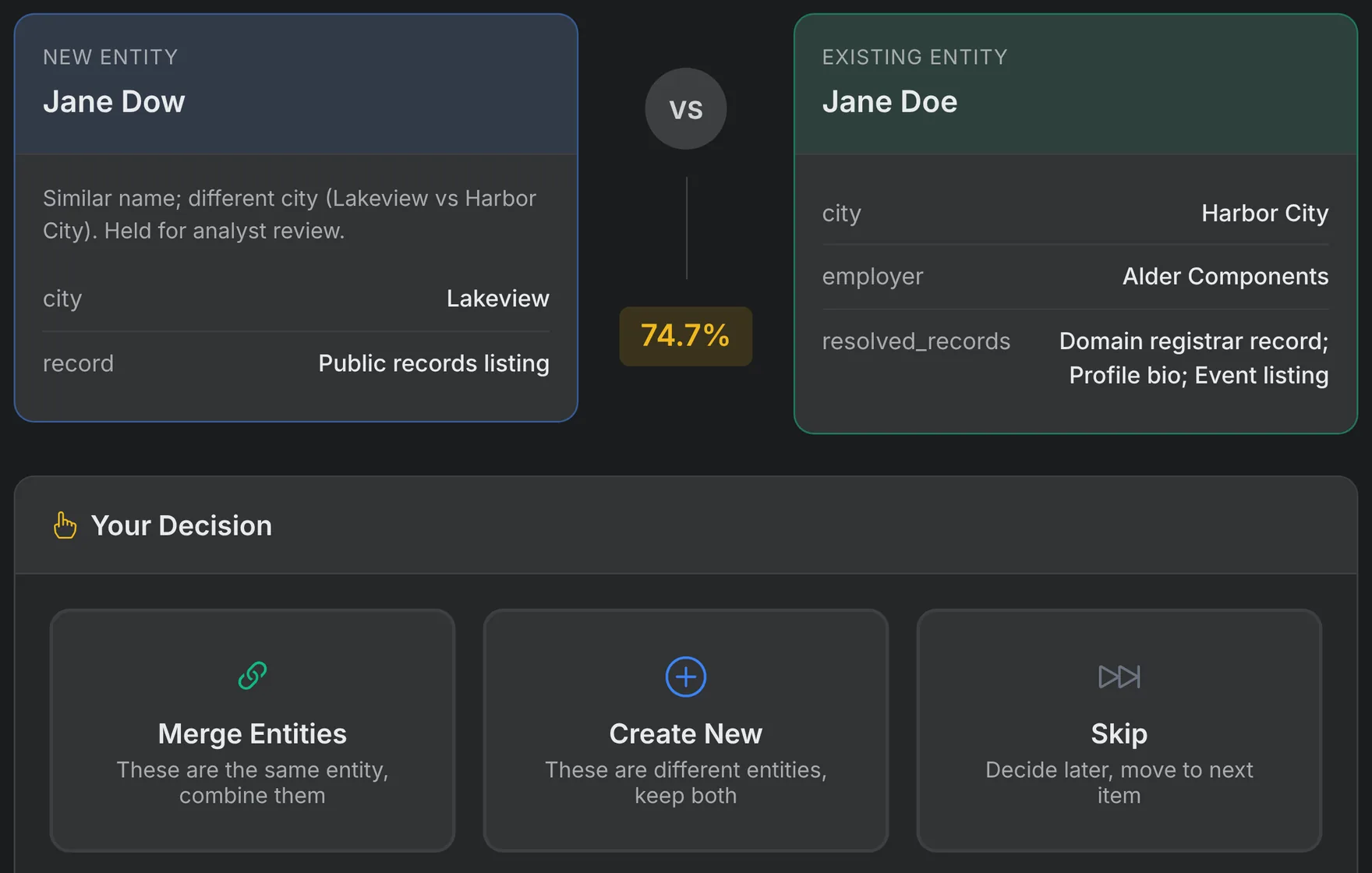
Resolve Identities and Aliases to One Record
The same subject arrives from five sources under five spellings. Entity resolution merges the duplicates before they split the case in two.
- Merge clear matches as records arrive from a transform, an import or a document.
- Send uncertain matches to a review queue, where an analyst merges them or keeps them apart.
- Start with standard matching rules and set your own thresholds when the data needs them.
- Keep a decision log that records who made each merge or rejection, and why.
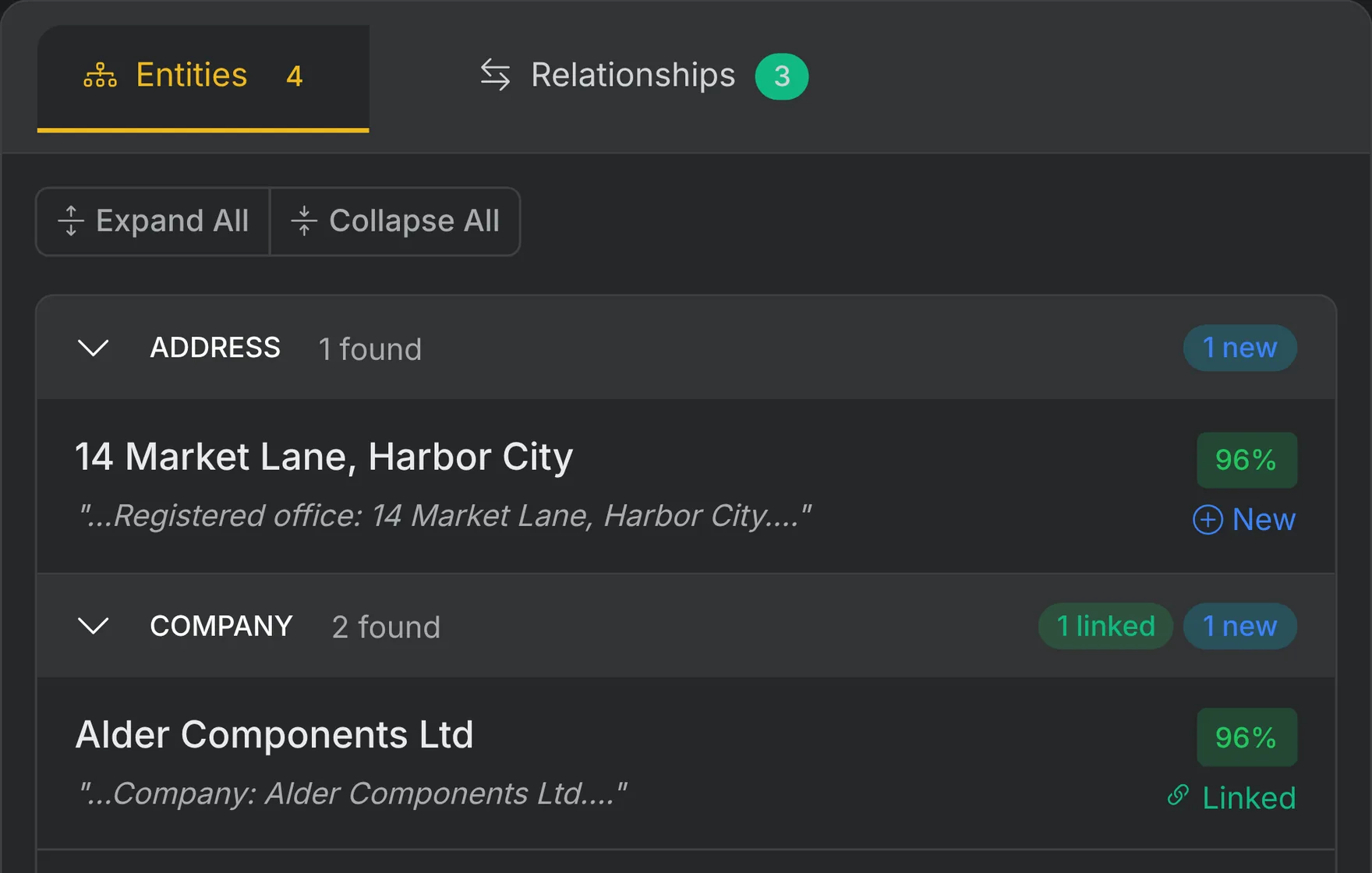
Extract Entities From Your Documents
- Upload reports, filings and case files. Nexus extracts the people, companies and addresses they name.
- Keep the source passage with every extracted entity.
- Map feeds and spreadsheets to entities and links, preview the mapping, and merge duplicates on the way in.
- Open a case from a Scout event, with its source content and date already attached.
Research Any Subject and Keep the Case Current
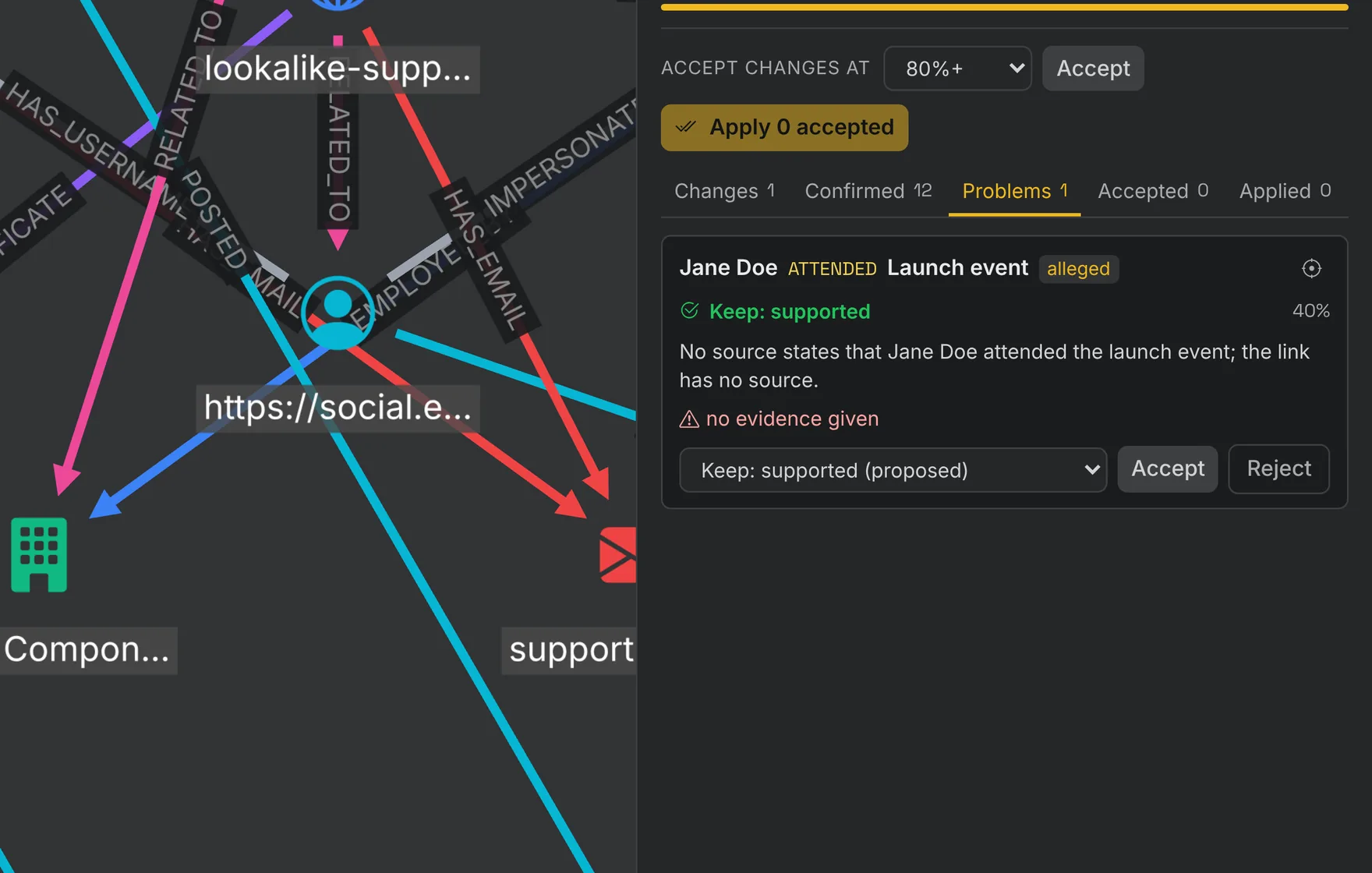
Run Due Diligence and Keep the Case Current
- Start from a due diligence template for an entity, a vendor or a supply chain, and name the subject.
- Feed a Case Brief into every research turn, with contradictions, likely duplicates and mistyped links to correct.
- Run Audit Graph to recheck links against their evidence and fresh search. It proposes changes with sources and quotes.
- Lock the statuses you set. Every turn can be undone, and you decide each proposed change.
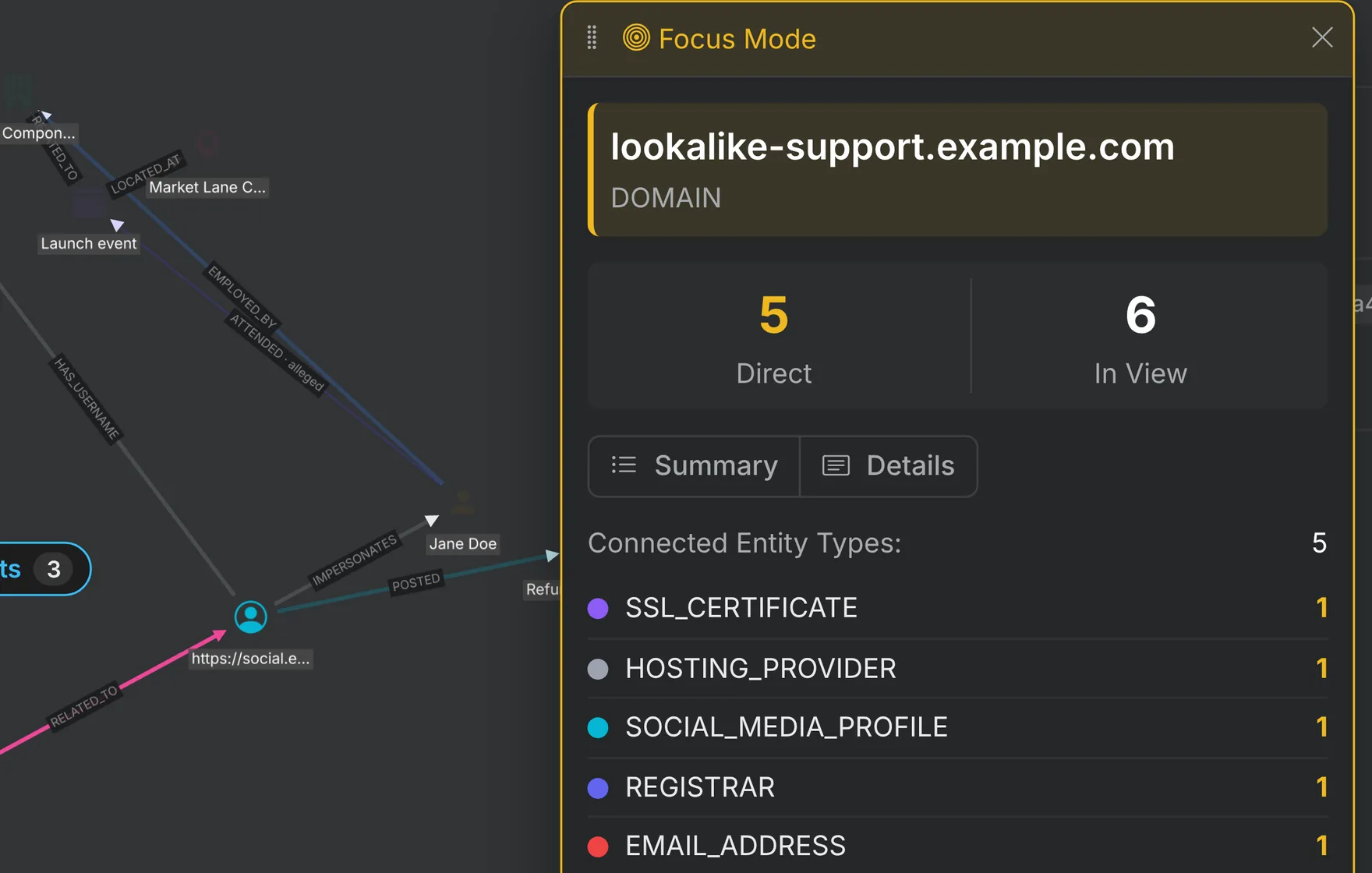
Enrich Any Lead From the Sources Your Case Needs
- Run a transform on a person, domain, email or company and get entities and links back, each tied to its source.
- Look up breach exposure, social profiles, websites and corporate registries from one menu, beside threat intelligence and crypto.
- Search web and social content, including posts from a place and time, and add what matters to the case.
- Package the lookups your team repeats as macros and saved sets, or pick an intent and let Nexus choose the transforms.
- Expand a node several hops out under the depth, volume and spend limits you set.
Some sources need your own provider key. Your quote lists the sources included.
Ask a Question and Get a Cited Report
Every claim is checked against its cited source before the report ships. When the evidence does not answer, the report says so.
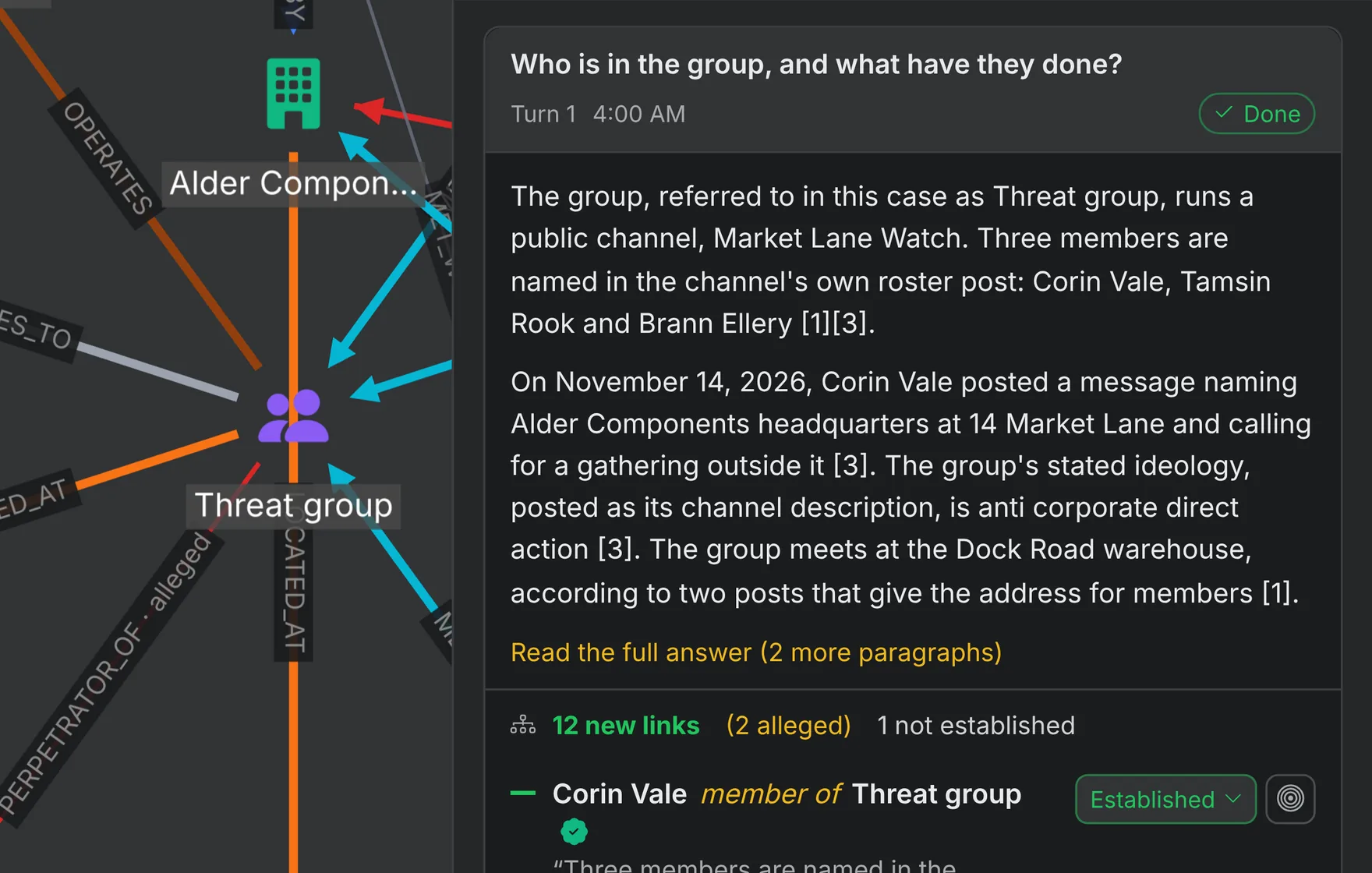
Ask a Question of the Case
- Get an answer built only from the case evidence, with a numbered citation on every claim.
- Set the focus from your wording, or push it in from entities, collections or the graph.
- Nexus confirms a smart prompt from your question, the focus and the case vocabulary. It never adds a subject you did not name.
- Your question is sent exactly as typed, and you can edit the smart prompt freely.
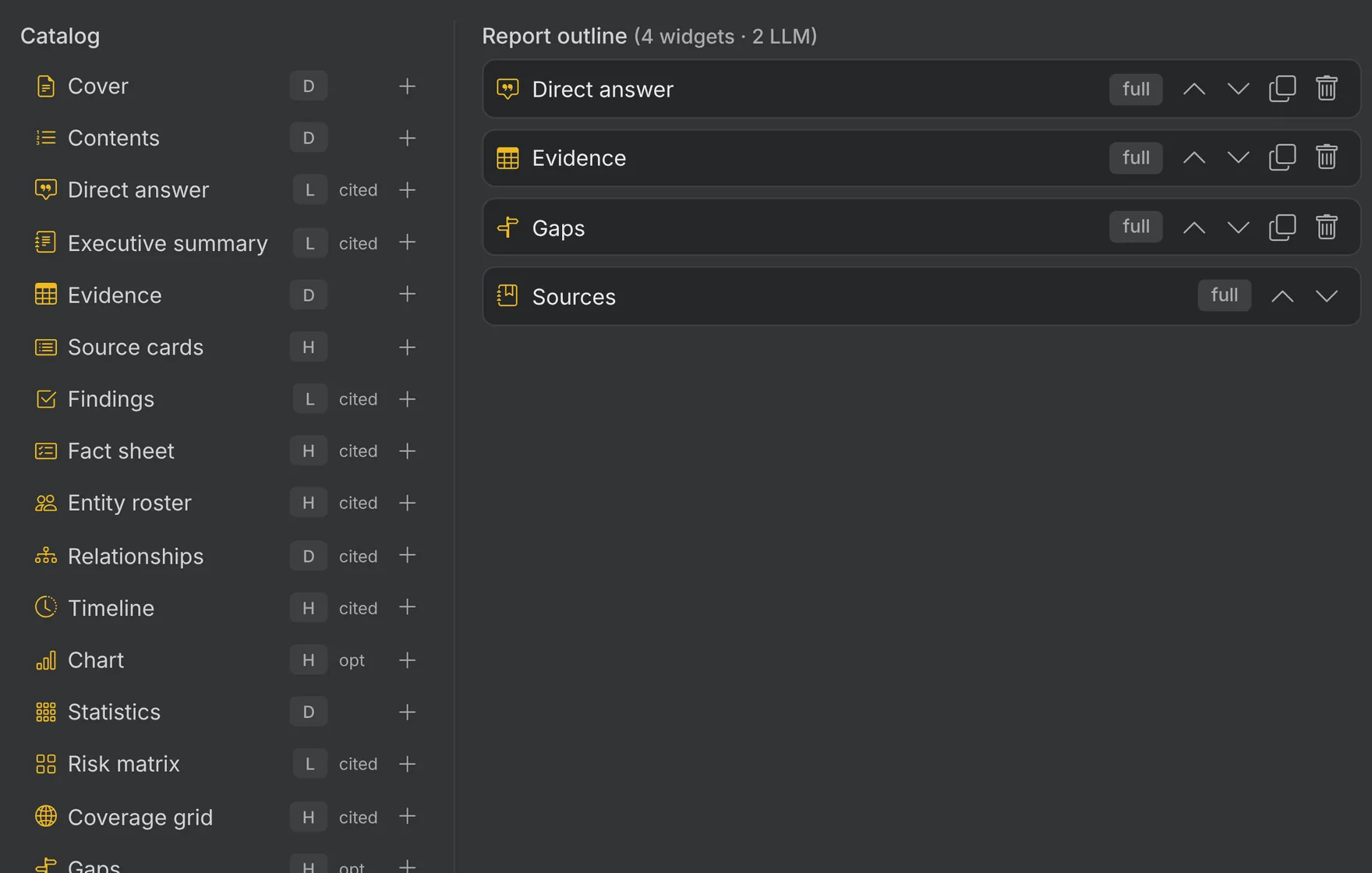
Build the Report From a Section Catalog
- Choose sections such as findings, a timeline and a risk matrix, each with its citations.
- Add optional sections such as gaps, recommendations or AI drafted hypotheses for the analyst to review.
- Close with the methodology and an evidence subgraph, then export to PDF, Word or HTML.
- Send a report gap back to research, and put an entity on a Scout monitor for a specific risk.
Report Types for Each Audience
Pick the report that fits the reader. Each one draws on the same case evidence and citations.
Executive Summary
An overview of one or two pages for stakeholders.
Detailed Investigation
The full methodology, evidence and analysis.
Narrative Report
The case told as one flowing story.
Timeline Report
Events in the order they happened.
Entity Profile
A deep dive on a single subject.
Corporate Due Diligence
An investigation behind a merger, acquisition or investment.
Network Analysis
A focus on relationships and connections.
Quick Summary
The key facts on one page.
Influence Landscape
Who matters most in the network, and why.
Community Structure
The clusters and factions in the network.
Structural Patterns
Cycles, convergence and the brokers between groups.
Entity Deep Dive
A complete analysis of one entity.
Relationship Analysis
Edge types and reciprocal links.
Comparative Snapshot
How the network changed between two points in time.